Adding a New Dimension to a Favorite Tool!
Since February of 2000, we have enjoyed the luxury of a yard sprinkler system. For too many years my wife and I found ourselves outside moving sprinklers around the yard in the hopes of keeping the grass alive in Houston’s hot summers.
We had a professional company install a sprinkler system with a Rain Bird controller; this controller worked well for almost 24 years but finally failed in December of this year. Fortunately, the same installer that installed the original system was still available to install the latest model, one with a WiFi capability.

The new controller didn’t come with the WiFi module which had to be ordered separately, but, after careful consideration, I decided to order the module from Amazon. I had noticed before, that our home WiFi network didn’t really reach as far as our detached garage and knew I would have to do something to extend the network to the garage.
After researching my options, I decided a powerline WiFi extender would be the best choice for extending the network to the garage. I chose the TP-Link Powerline WiFi Extender(TL-WPA8631P KIT).

I got both of the components within 24 hours, from Amazon, and got busy to see if I could make this work. My research disclosed there were setup problems that others had encountered so I went into this prepared to deal with problems.
The Rain Bird Controller WiFi is operated exclusively by a cell phone, so I had to download and install the Rain Bird app on my iPhone. My second step was to insert the module into the Rain Bird Controller which was a simple process.

You can see the WiFi module in the lower left corner of the Controller

Just out of curiosity, I tried to set up the WiFi connection without the extender but that was not going to work, I kept getting an error warning the signal was not strong enough to complete the setup.
Since I had been expecting that, I set about preparing the Extender kit and pairing the “Adapter” (on the left in the second photo) and the “Extender” (on the right in that photo). The Adapter would go in the house, and the Extender in the garage.
I decided to select the house plug that was nearest the garage that had an Ethernet connection nearby, the Ethernet was connected to my Asus router which was subsequently connected to a fiber-optic modem and provided access to the internet.
I then took the Extender to the garage and plugged it into the outlet immediately above the Rain Bird Controller and then plugged the Controller into the socket of the Extender as shown.
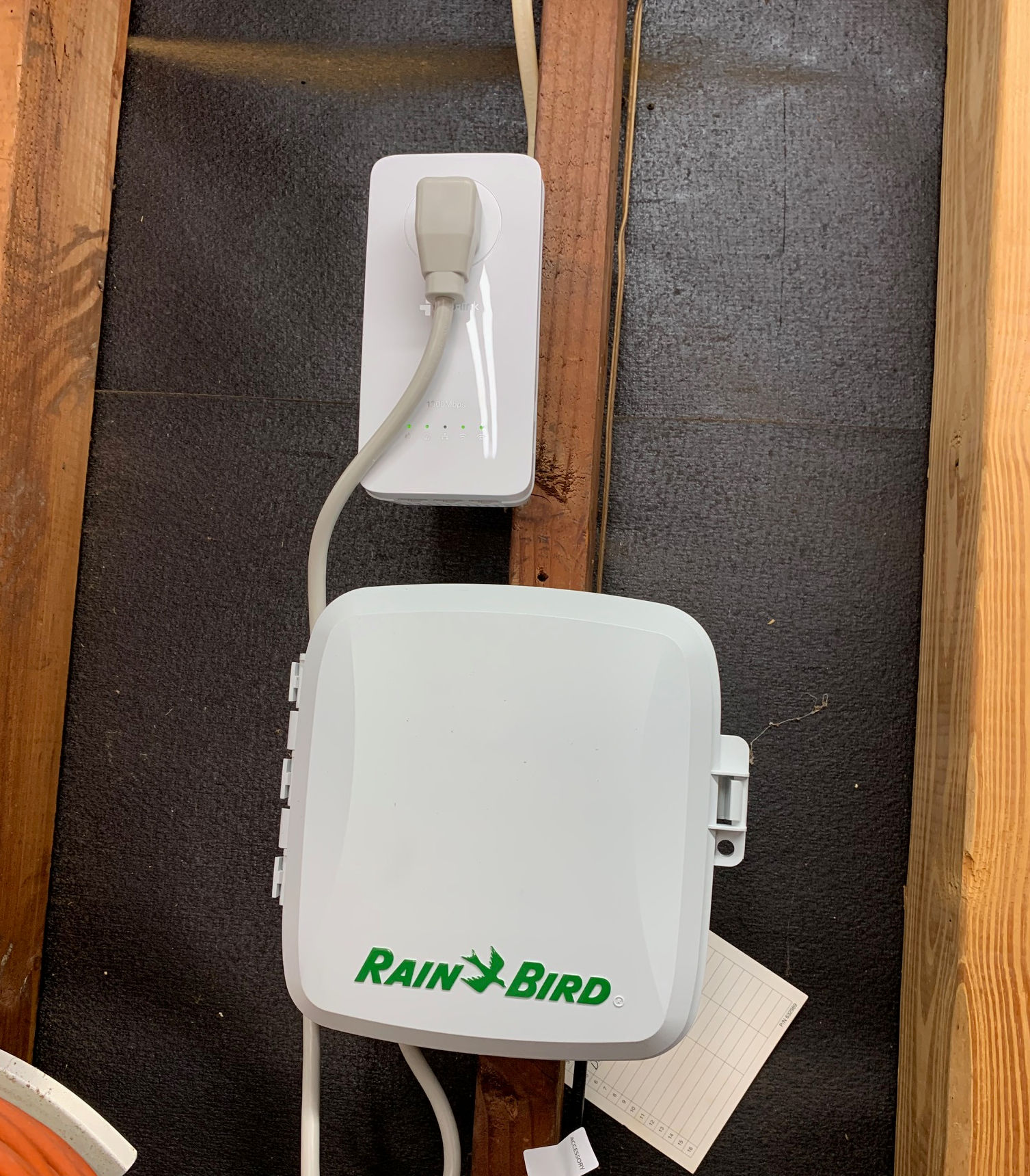
At that point, the only thing left was to get it set up and operating; it turns out, that was to be the hardest part. The biggest problem was knowing which network to select; a drop-down list of available networks was shown, including neighbors all over the area so I selected my home network but that didn’t work.
I worked on it several hours, talking at length with Rain Bird tech support, who, by the way, spoke good English and was patient and as helpful as he could be; but nothing he suggested could make it work.
My wife was beginning to get hungry and wanted us to have supper, so I finally gave up on the project for the night and took the rest of the evening off.
A New Day and a New Start!
The following morning, having exhausted all of the suggestions from Rain Bird tech support, I decided to have an online chat with tech support at TP-Link. Fortunately, that turned out to be more productive as they were able to help me select the one network that would work.
What was not clear to me from their “quick installation” instructions was the WiFi output was to be found on a network I had never heard of before, “TP-Link_DOCC. I had seen that link and thought it must belong to a neighbor as it was totally strange to me; it just happened to be the one I needed and once I had chosen it, and used the password on the back of the Extender, I was suddenly connected to the internet!
After working on that job for almost a day and a half, you can understand my excitement when it was finally fully operational. Today is day four and I’m happy to report it’s still working perfectly. Believe it or not, I actually had fun solving that challenge and always appreciate a happy ending!


 davidbowerkingwood
Good job dad! I’m impressed, but not surprised that you succeeded.
LikeLiked by 1 person
By: Anonymous on December 18, 2023
at 9:55 am
Thank you, my beloved daughter! The Lord has, for some reason, blessed me with a tenacity that keeps me working on a problem until it’s solved. I appreciate your encouragement!
LikeLike
By: Anonymous on December 18, 2023
at 10:11 am
Good job dad! I’m very impressed.
LikeLiked by 1 person
By: Anonymous on December 18, 2023
at 9:56 am
I had to laugh as it was almost like you were speaking a foreign language, but I can imagine how eager you were to solve the problem. God gives us all kinds of gifts and speaking computerisms and solving those “isms” is definitely yours. I bet Adele is happy you have those gifts also. 😀 Merry Christmas
LikeLiked by 1 person
By: Anonymous on December 18, 2023
at 8:46 pm
Computers have become a vital tool in much of what I do; I have trouble imagining life without them.
LikeLike
By: davidbowerkingwood on December 19, 2023
at 9:24 pm